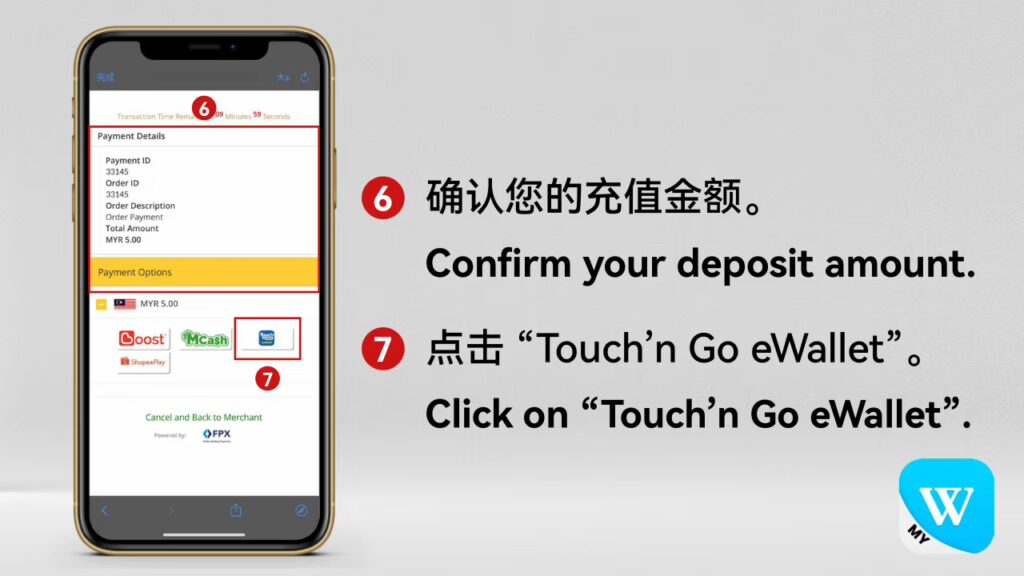
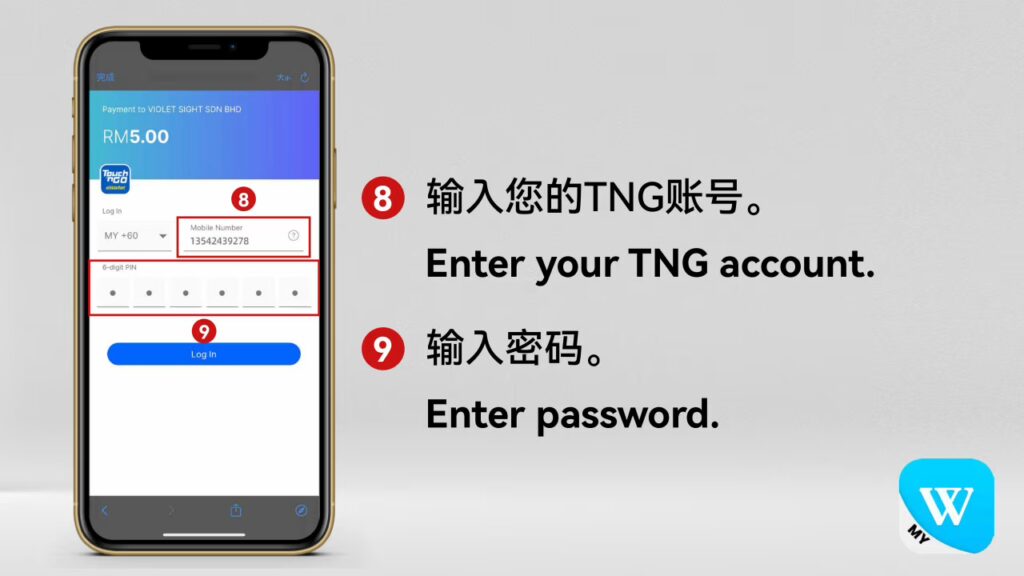
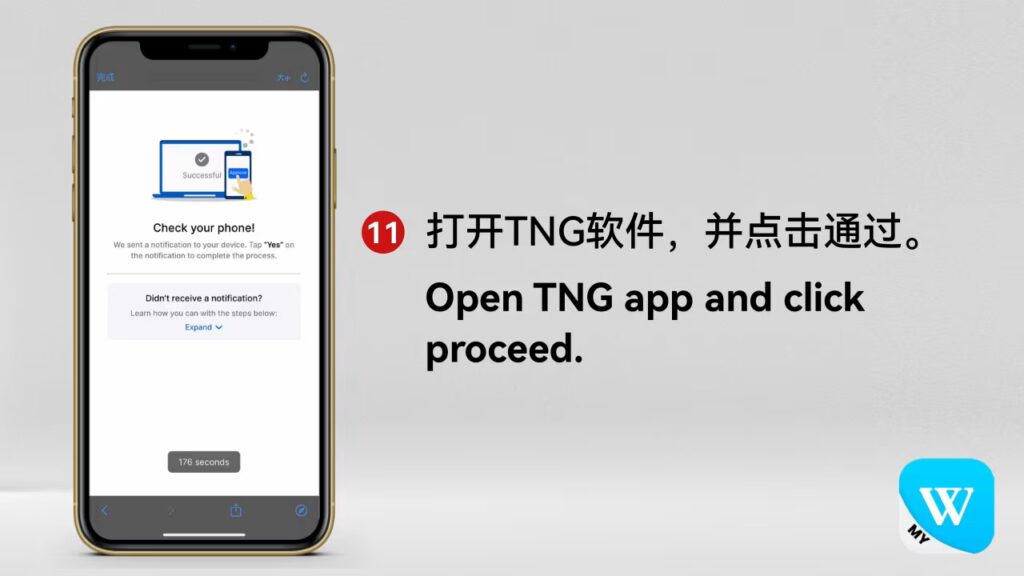
Winbox Top Up Tutorial – How to Add Credit Instantly
Learn the complete Winbox Top Up tutorial with simple steps to add credit instantly. Follow our quick and secure guide to update your balance anytime, anywhere.
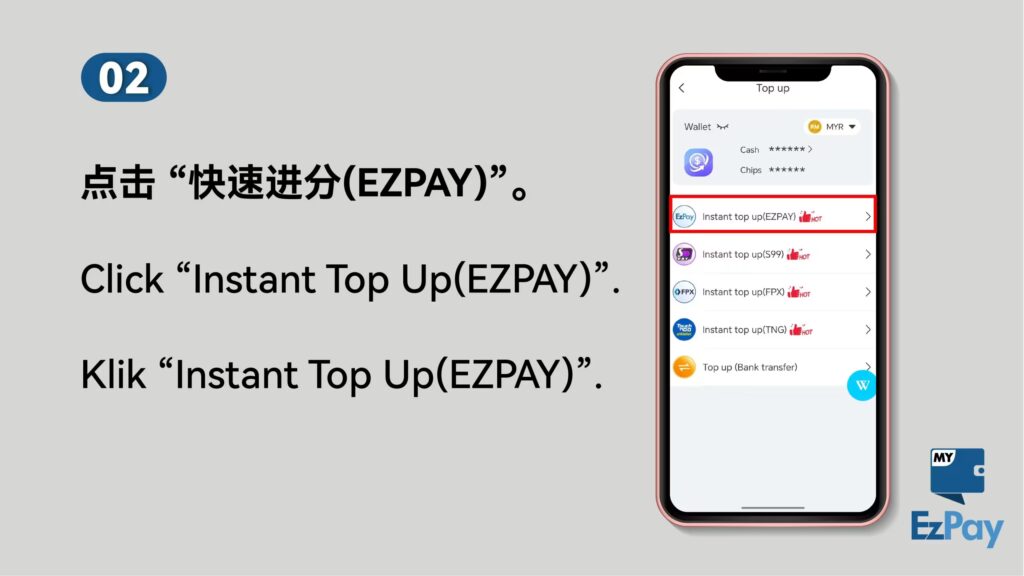
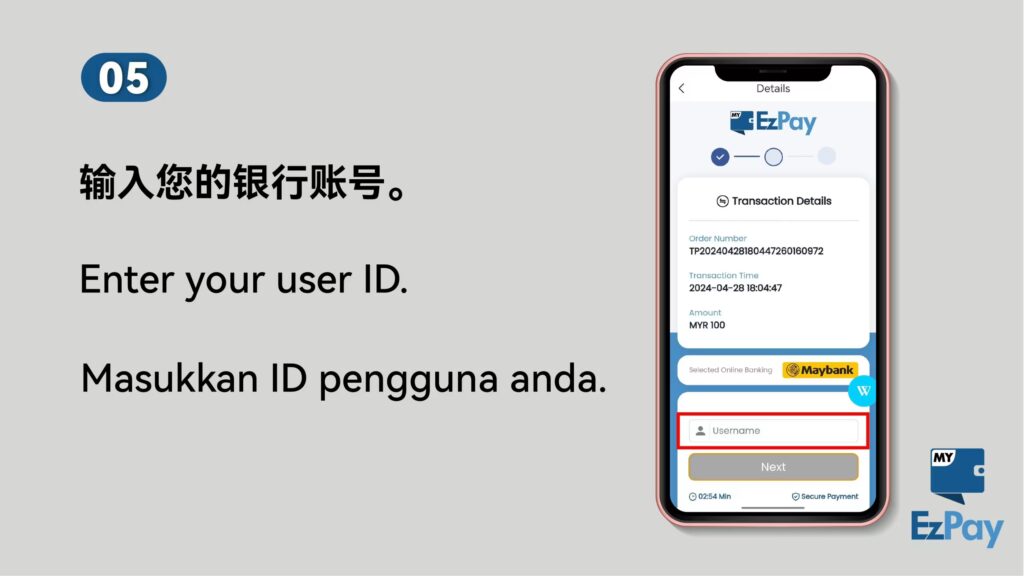
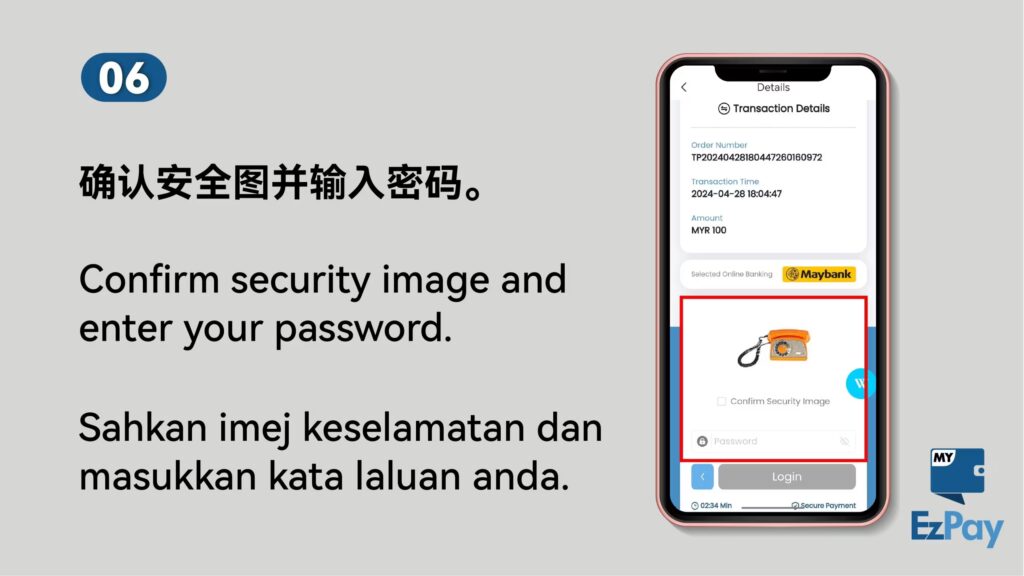
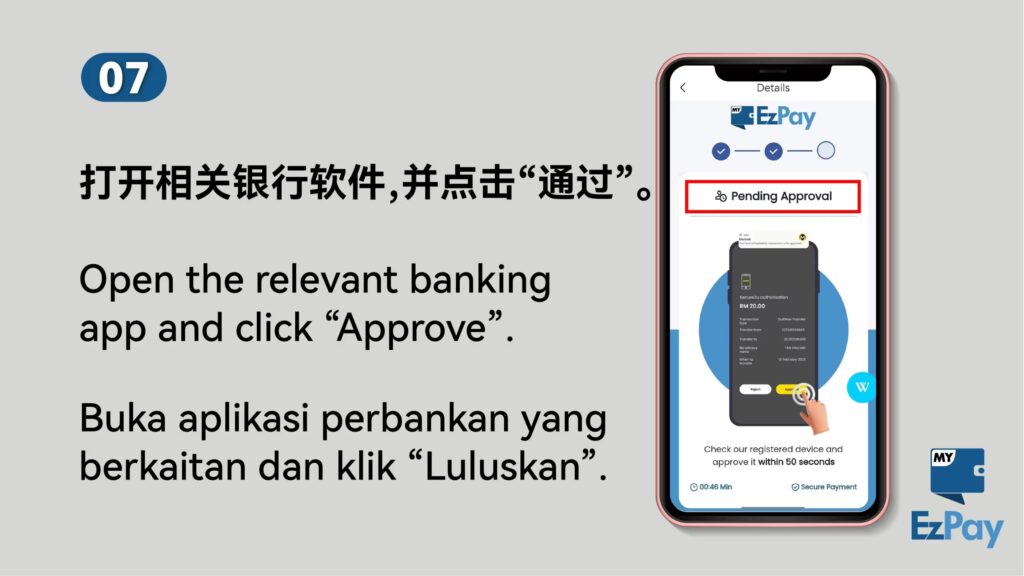
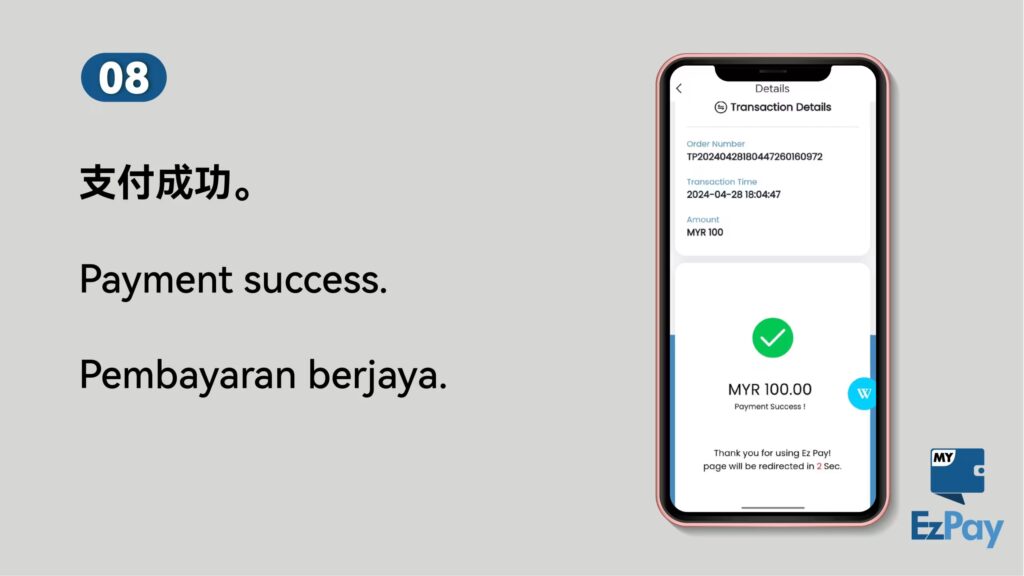
Winbox EzPay Quick Reload – Fast and Secure Credit Update
Winbox TNG Reload – Quick and Secure Credit Update
How to Top Up – Step-by-Step Balance Update Guide
How to Top Up Your Winbox Account – Quick and Secure Guide
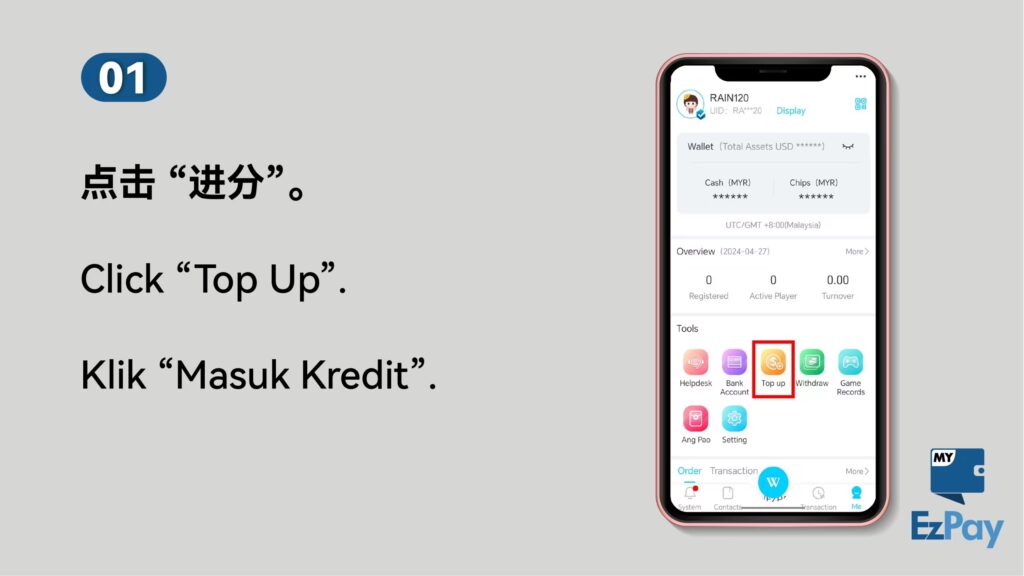
Step 1: Log in to the WINBOX App, tap “Me” > “Wallet” > “Balance Update”.
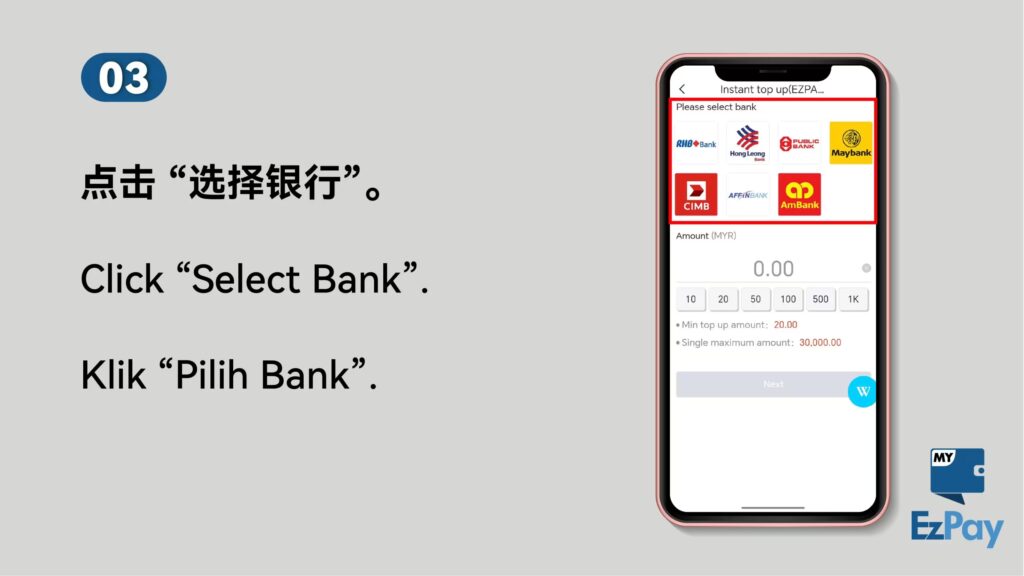
Step 2: Select your preferred bank for credit transfer.
Note: Once a bank is selected, it will be linked to your WINBOX account and may not be changed immediately.
Step 3: Tick the checkbox to confirm you’ve read and agreed to the terms, then click “Next”.
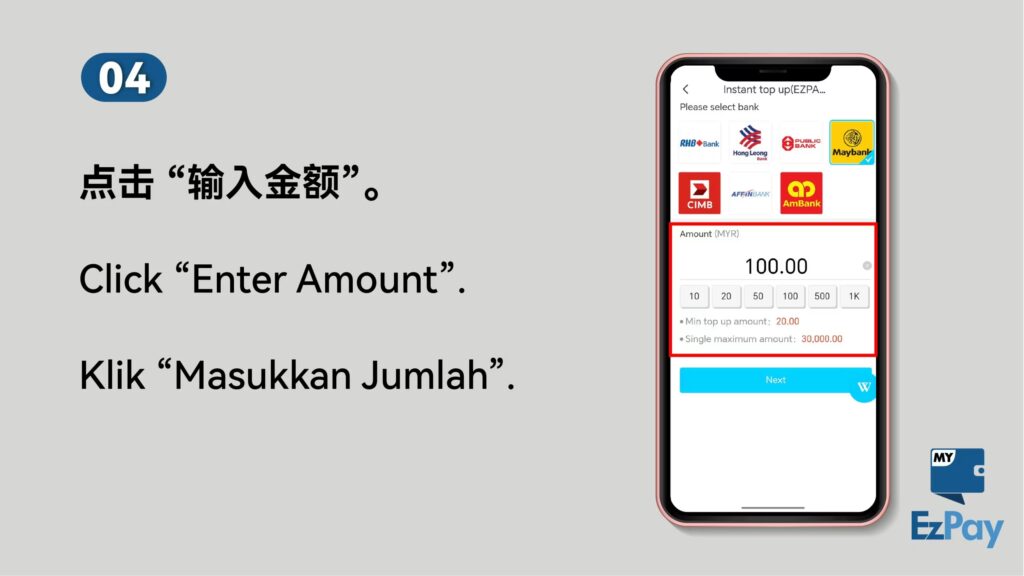
Step 4: Enter your desired amount and click “Submit”.
Step 5: Tap (+) to upload your transaction proof (e.g., bank transfer slip), then click “Submit” again.
Processing Time: If all steps are followed correctly, your credit update will be completed within 5 minutes.
Important: WINBOX may update its official bank account details from time to time. Always verify the information in the app before making a transfer.